AI Restaurant Inventory Management: Cut Waste 50% in 2026
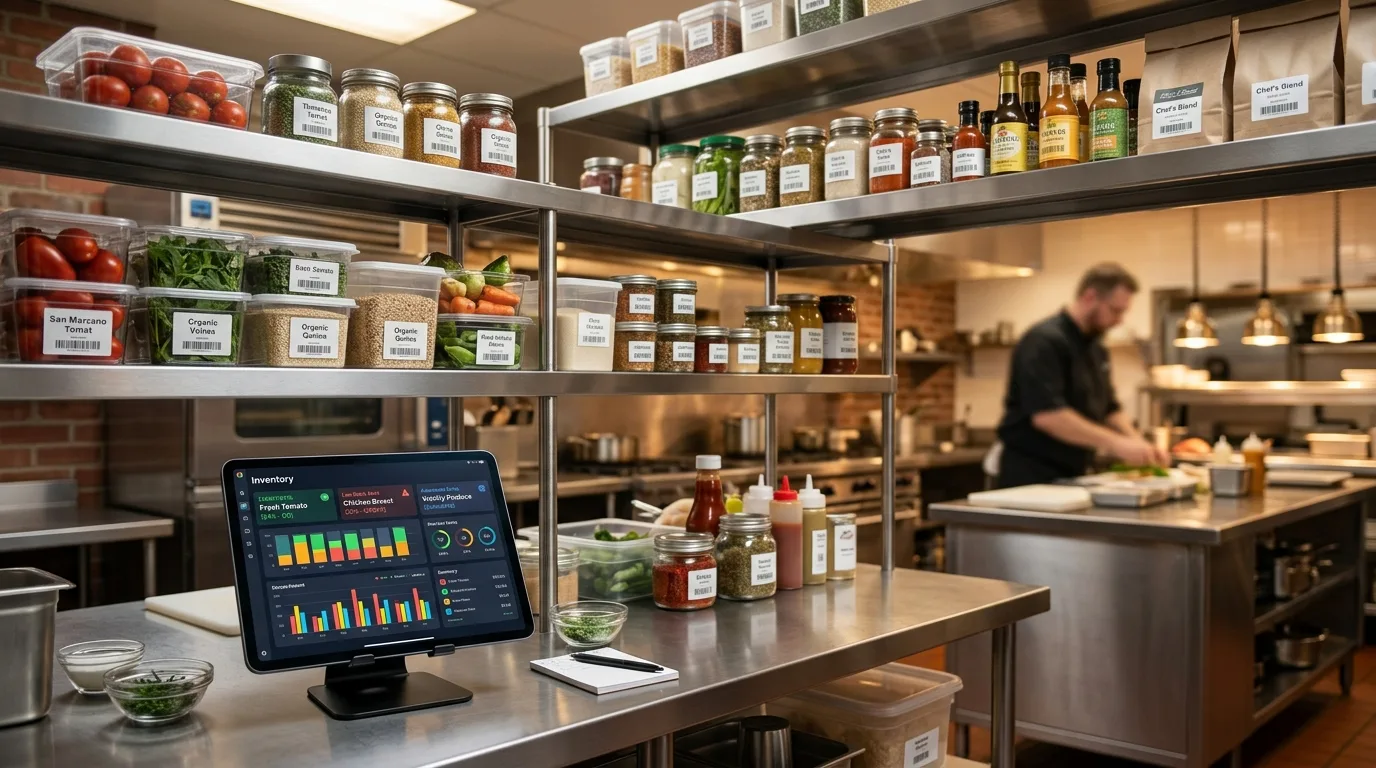
The average restaurant wastes 4–10% of all the food it buys before a single plate reaches a customer (NRDC via Crunchtime, 2023). For a restaurant spending $15,000/month on food, that's $600–$1,500 in groceries going straight to the trash — every month, without fail.
Add manual inventory labor on top of that. The average restaurant manager spends 5–7 hours per week counting stock by hand, reconciling purchase orders, and chasing supplier invoices (Supy, April 2025). That's 20+ hours per month not spent managing the floor, training staff, or building your business.
AI inventory management fixes both problems. This guide walks you through exactly how to set it up — tools, steps, costs, and realistic results. It's the inventory-management chapter inside the AI for Hotels, Restaurants & Tourism: 2026 Playbook.
Key Takeaways
- U.S. restaurants lose $162 billion annually to food waste (Fourth, 2023)
- AI waste-tracking tools achieve an average 53% reduction in food waste across 3,000+ kitchens (Frontiers in Artificial Intelligence, January 2025)
- Inventory automation reclaims up to 20 hours/month of manager time (Supy, 2025)
- 55% of restaurant executives already use AI daily for inventory management (Deloitte, June 2025)
- For every $1 invested in waste reduction, restaurants recover an average $7 in operating costs (industry research cited by Crunchtime, 2023)
What Does Manual Inventory Actually Cost Your Restaurant?
Food costs represent a median of 32% of sales for U.S. restaurants in 2024 (National Restaurant Association, September 2025). Every percentage point above your target eats directly into margins that are already razor-thin. And the U.S. restaurant industry collectively loses $162 billion annually to food waste — losses that are measurable, traceable, and largely preventable with the right systems.
Manual inventory doesn't catch waste until after it's already happened. You find out at the end-of-month count that your food cost crept up 2 points, but you have no idea which ingredient or which shift caused it. By then, the food is gone and the money is gone with it.
Waste breaks into three categories: preparation waste (over-peeling, mis-measured portions), storage spoilage (ordering too much, poor FIFO rotation), and over-production (cooking more than you sell). AI systems catch all three in real time. Manual clipboards catch none of them until the damage is done.
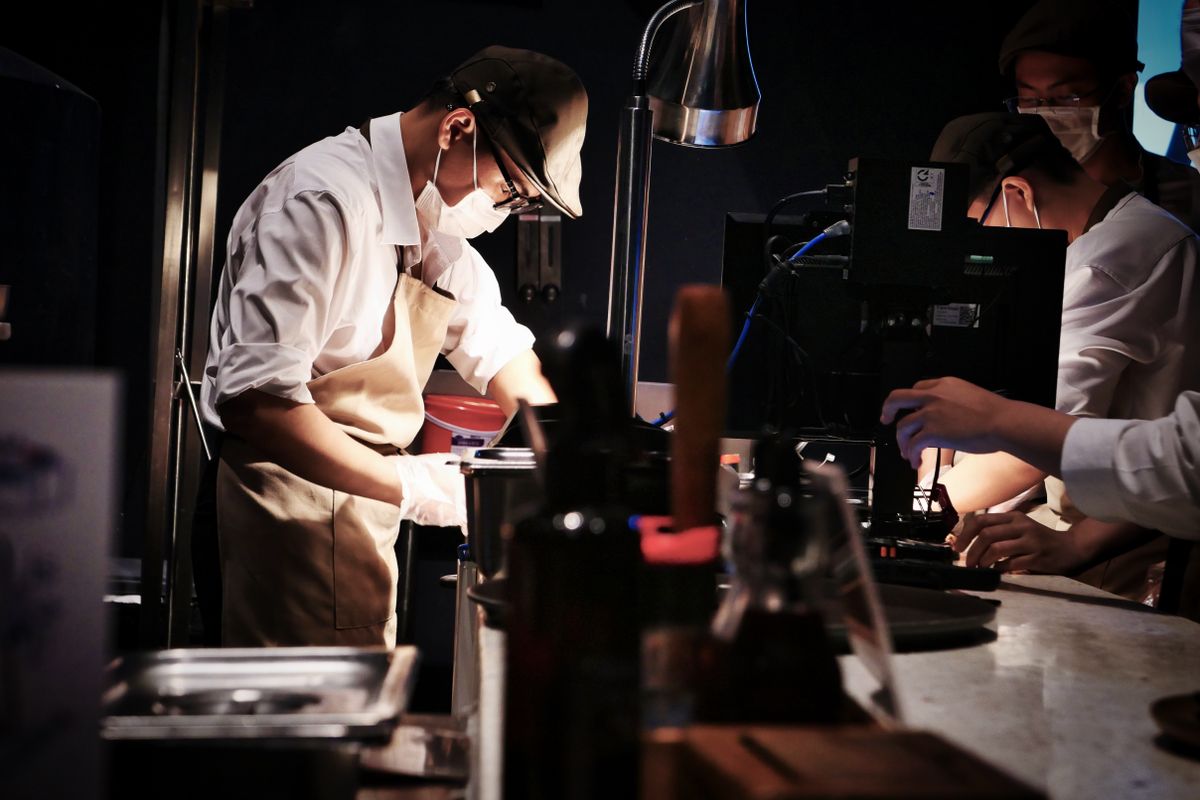
Working with restaurant operators in Los Cabos, I've seen the same pattern repeatedly: the biggest waste isn't obvious line items like overcooked steaks. It's the accumulation of small invisible losses — the extra half-case of avocados ordered "just in case," the prep batch that sat unsold on a slow Tuesday, the stock that rotated wrong in the walk-in. In a high-COGS environment, these add up. A $3/lb avocado spoilage problem across 300 covers per day is a $2,000/month problem that never shows up clearly on a P&L until someone digs into the bins.
How Does AI Restaurant Inventory Management Actually Work?
55% of restaurant executives now use AI daily for inventory management — making it the third most common AI application in foodservice (Deloitte, June 2025). The technology works through three interconnected systems: demand forecasting, real-time stock depletion, and automated reorder triggers. Here's what each does.
Demand forecasting analyzes your sales history by day of week, daypart, weather, upcoming reservations, and seasonal trends. Instead of your chef estimating how many kilos of mahi-mahi you'll need for a Friday dinner service, the system tells you based on six months of your actual data. It's not guessing — it's pattern recognition at scale.
Real-time stock depletion connects to your POS. Every sale automatically deducts the ingredients used (based on your recipe database) from your theoretical inventory. You know what you should have on hand at any moment without physically counting anything. Weekly spot-checks catch discrepancies between theoretical and actual — which reveal theft, spillage, or over-portioning.
Automated reorder triggers alert you (or automatically generate a purchase order) when stock hits your defined par level. You stop running out of key ingredients mid-service — and you stop over-ordering as a hedge.
According to a peer-reviewed study in Frontiers in Artificial Intelligence (January 2025), Winnow's AI waste-tracking system achieves an average 53% reduction in food waste across its 3,000+ kitchen deployments, saving a combined $100 million annually. The London Marriott Canary Wharf achieved a 67% reduction in food waste within six months of implementation. Leanpath, a competing platform, reduces food purchase costs by up to 6% of total food spend at its client sites.
This isn't experimental technology. The restaurant inventory management software market is growing from $3.95 billion in 2024 to a projected $9.17 billion by 2030 — a 14.98% CAGR — driven by exactly this adoption curve (GlobeNewswire, November 2024).
The 4-Step Setup: How to Actually Implement It
41% of restaurant operators plan to adopt AI for forecasting and demand planning in the next 12 months (Toast, 2025). For most, full setup takes 1–2 days of focused effort. Here's the exact sequence I use with clients.
Step 1: Audit Your Current Waste First
Don't buy software before you know what you're solving. Spend one week logging everything that goes into the trash — by item, by day, by cause (spoilage, over-prep, plate return). A simple Google Form works fine. This baseline tells you where your biggest waste categories are, which determines which tool you actually need.
A restaurant losing money on produce spoilage has a different problem than one that over-preps proteins for banquets. The tools that fix each are different.
I did this audit with a 60-seat restaurant in Cabo San Lucas before recommending any software. The one-week manual tally revealed they were throwing away 15–20% of their weekly produce — not because of bad ordering, but because of inconsistent FIFO rotation in the walk-in. A $99/month inventory app wasn't going to fix that. Labeling and staff retraining was the answer — free, and implemented in a week. Save the software budget until you know exactly what you're fixing.

Step 2: Pick the Right Tool for Your Size
Inventory is one piece of a bigger stack — for the tools that also handle phone calls, reservations, scheduling, and guest messaging, see the 7 best AI tools for restaurants in 2026. Not every tool fits every restaurant. Here's a practical comparison:
| Tool | Best For | Starting Price | Key Capability |
|---|---|---|---|
| Toast Inventory | Toast POS users | Included in plan | Real-time depletion from sales |
| MarketMan | Single-location to small chains | ~$239/mo | Invoice scanning, supplier ordering, waste tracking |
| Restaurant365 | Multi-unit (5+ locations) | Custom pricing | Full P&L integration, AI demand forecasting |
| Winnow | High-volume kitchens / hotels | Custom pricing | AI camera waste tracking on bins |
| Leanpath | Institutional / catering operations | Custom pricing | Waste tracking scales + forecasting |
| Make.com + Google Sheets | Budget-conscious / DIY first step | $9–$49/mo | Custom reorder alerts, no native forecasting |
For most independent restaurants under $2M in annual revenue, Toast's built-in inventory or MarketMan is the right starting point. You don't need enterprise software. For Los Cabos properties with multiple revenue centers — restaurant, bar, in-room dining — Restaurant365 starts making sense.
Not ready to commit to a platform? You can build a lightweight inventory alert system in Make.com that connects your POS export to Google Sheets and fires a WhatsApp or email when stock drops below par. It won't forecast demand, but it prevents run-outs. That's a meaningful first step for under $50/month.
Step 3: Connect Your POS and Build Your Recipe Database
Every serious inventory tool integrates with your POS. Without this connection, you're still manually entering sales data — which defeats the purpose entirely.
The setup process:
- Connect your POS (Toast, Square, Lightspeed, Micros) — typically 20–30 minutes via API key
- Build your recipe database — enter each menu item with exact ingredients and quantities. This is the time-intensive step. Plan 2–4 hours for a 40–60 item menu.
- Set opening inventory — import from your last physical count spreadsheet, or do a fresh manual count
- Define par levels — the minimum quantity on hand before the system alerts you to reorder
Once your recipe database is live, every sale automatically depletes your theoretical inventory. Weekly spot-checks compare theoretical to actual — and the gap is your variance report: theft, spillage, over-portioning, all visible by line item.
Step 4: Enable Demand Forecasting and Automated Reorder Rules
This is where the AI earns its name. Once you have 4–6 weeks of sales data flowing through the system, demand forecasting activates. The AI analyzes:
- Sales history by day and daypart
- Day-of-week patterns (your Tuesday is structurally different from your Saturday)
- Upcoming reservations (if your reservation system is integrated)
- Seasonal trends — in Los Cabos, the swing from peak tourist season to slow season is a critical input no generic forecasting tool handles without your local data
The output is a daily prep list and suggested order quantities for the next 3–7 days. Your chef stops estimating quantities on gut feel and starts working from data calibrated to your actual sales patterns.
Set automated reorder triggers so when key ingredients hit par, a draft purchase order goes to your supplier automatically. You review it in 2 minutes and approve — or the system sends it without your intervention once you trust the thresholds.
Restaurant365 customers (40,000+ U.S. locations) collectively cut $400 million in food waste in 2024 using these forecasting and reorder tools (PR Newswire, December 2024). Someburros, an 18-unit chain in Phoenix, used the system to trace a tortilla waste problem and recovered $13,000+ per year — on a single ingredient.
To avoid common pitfalls when rolling this out, read Common AI Automation Mistakes Small Businesses Make before you go live.
What Does This Cost — and What Will You Actually Get Back?
Industry research cited by Crunchtime (2023) puts the average ROI at $7 saved for every $1 invested in kitchen waste reduction. For most independent restaurants, AI inventory management pays for itself within the first 30–45 days.
Here's the realistic math for a mid-size restaurant spending $15,000/month on food:
Before automation:
- Food waste: ~$1,500/month (10% of food spend)
- Inventory labor: 30 hrs × $18/hr = $540/month
- Emergency reorders from running out mid-service: ~$300/month
After AI inventory automation:
- Food waste: ~$750–$900/month (50% reduction, per Winnow benchmark)
- Inventory labor: 8 hrs × $18/hr = $144/month
- Emergency reorders: near zero
Monthly savings: $1,000–$1,600 Tool cost: $99–$299/month Net monthly gain: $700–$1,300
That's $8,400–$15,600 per year — recovered from a problem most operators don't even realize they have until they run the numbers. Does your current operation have that kind of margin sitting untouched?
For a full breakdown of AI automation costs across different business types and budget levels, read our AI automation cost guide for small businesses.
A Note for Los Cabos Restaurant Owners
The inventory challenge in Cabo is real — and different from California. Supplier reliability is less predictable. Lead times from mainland Mexico can run 3–5 days for specialty items. And the tourist seasonality swing is extreme: December–April brings near-100% occupancy at most properties while June–September can run 35–40% slower.
Working with properties across Cabo San Lucas and San José del Cabo, the biggest AI inventory win I've seen isn't waste reduction per se — it's seasonal pre-positioning. When an AI forecasting system detects a 3-week occupancy spike tied to holiday travel (Easter week, Christmas–New Year's), it can trigger larger purchase orders from Mexico City and Guadalajara suppliers 10–14 days in advance, before you'd normally notice the demand building. That's the kind of buffer that prevents running out of premium proteins during your highest-revenue weeks of the year.
Most tools have Spanish-language interfaces and support Mexican supplier workflows. Toast POS — now widely deployed across Cabo — has native inventory integration that handles peso-denominated costs correctly. You're not locked into English-language tools or losing functionality because you're operating in Mexico.
The same technology that's cutting restaurant no-shows with AI reservation tools applies here. The tools are proven, the pricing is accessible, and the only real question is how long you want to keep paying the manual inventory tax.
Ready to Stop Counting Inventory by Hand?
The tools exist. The ROI is documented across peer-reviewed research, 40,000+ restaurant deployments, and real case studies from chains and independents alike. The only thing left is deciding when to start.
If you're running a restaurant in Los Cabos or California and spending 5+ hours a week on inventory counts — or watching food cost creep above 32% — I can audit your current setup and map out exactly which tools make sense for your size and budget.
Book a free 30-minute discovery call →
Frequently Asked Questions
How much does AI restaurant inventory management software cost?
Entry-level tools start at ~$239/month for MarketMan or are included in existing Toast POS plans. Enterprise platforms like Restaurant365 and Winnow are custom-priced. Budget operators can build a basic reorder-alert system in Make.com for $9–$49/month, though it won't include AI demand forecasting. Most tools pay for themselves within 30–45 days via waste reduction and labor savings alone.
How long does setup take?
Initial setup — connecting your POS, building your recipe database, entering opening inventory — takes most operators 1–2 days. The recipe database is the most time-consuming part: plan 2–4 hours for a 40–60 item menu. Demand forecasting requires 4–6 weeks of data before AI predictions become reliable. Automated reorder alerts can be configured from day one.
Do I need technical skills to use these tools?
No. MarketMan, Toast, and Restaurant365 are all designed for restaurant operators, not developers. The interfaces are visual and menu-driven. The exception is a custom Make.com setup, which has a moderate learning curve — see our Make.com beginner's guide for the step-by-step walkthrough.
What's the best tool for a small independent restaurant?
For a single-location restaurant doing $500K–$2M in annual revenue, Toast's built-in inventory (if you already use Toast) or MarketMan are the most practical starting points. Both offer POS integration, recipe costing, and automated reorder alerts without enterprise-level complexity. In Los Cabos specifically, Toast is widely supported locally and handles peso-denominated costs natively.
What results can I realistically expect in the first 90 days?
Based on peer-reviewed research and operator benchmarks: a 30–53% reduction in food waste, 15–22 hours per month of manager time reclaimed, and 2–5 percentage points off your food cost percentage. The Frontiers in AI study (January 2025) confirmed Winnow's average 53% waste reduction across 3,000+ kitchens. More affordable tools typically deliver 25–35% in the first quarter.
The Bottom Line
Manual inventory is a fixed, unnecessary cost. A 4–10% food waste rate is not a fact of restaurant life — it's a solvable problem. The technology to solve it is affordable, it works in Cabo as well as it works in California, and the ROI shows up on your P&L within the first 30 days.
Start with a one-week manual waste audit. Then pick the tool that fits your size and budget. By the end of your first month with AI-assisted inventory, you'll have a clearer picture of your operation than years of clipboard counts ever gave you.
The 40,000+ restaurants using Restaurant365 didn't cut $400 million in food waste by accident. They gave the AI something to work with — their real data — and it did what it's built to do. You can get the same results.
For broader context on where inventory automation fits within a full restaurant AI strategy, see how AI helps restaurants cut no-shows and manage operations end-to-end. If your operation also runs a hotel or resort component, AI chatbots for hotels cover the same ground on the guest communication side.