How to Choose the Right AI Automation Tools for Your Business
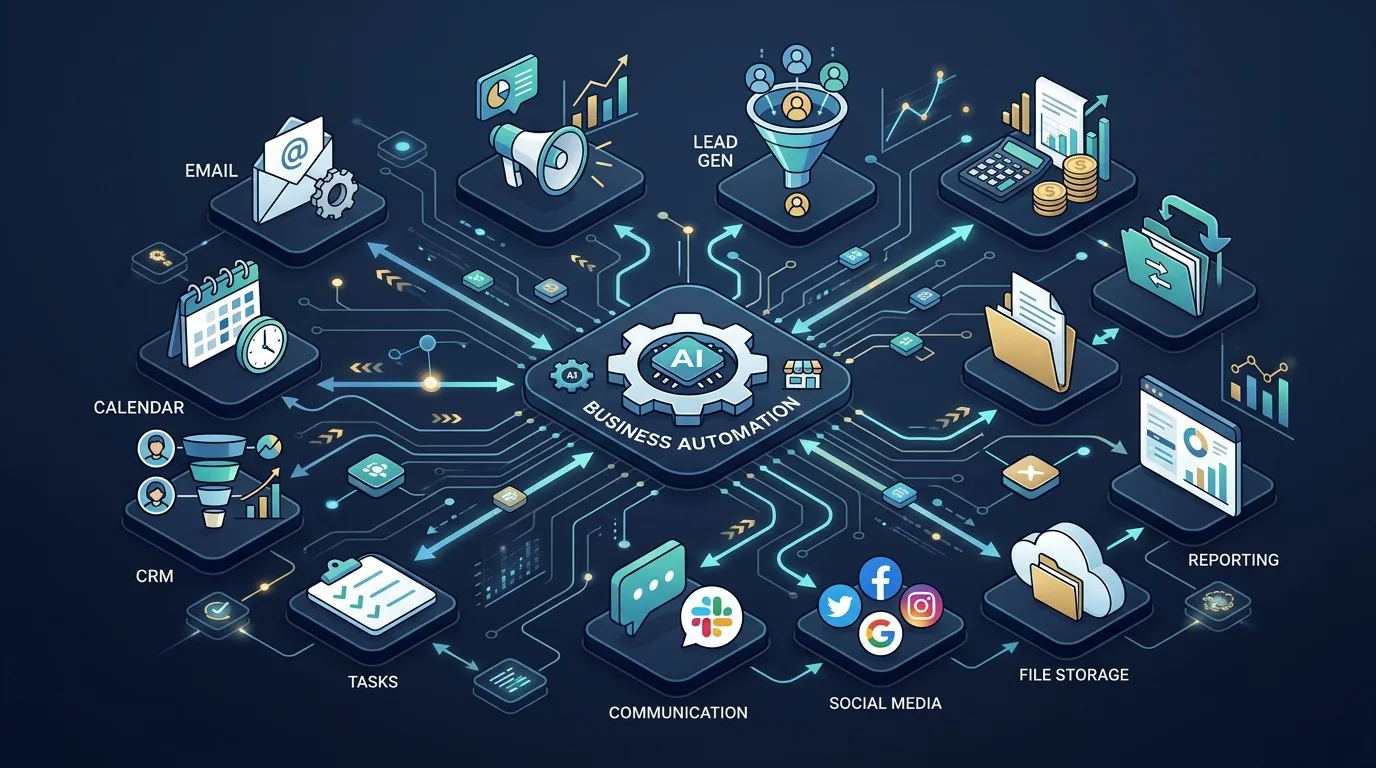
Choosing the wrong AI automation tool is one of the most expensive mistakes a small business owner can make — not because the software costs a fortune, but because of the hours you'll waste setting it up, only to realize it doesn't fit how your business actually works.
The right tool depends on three things: what you're automating, how technical you are, and what you're willing to pay. Get those three aligned, and you'll find a platform that pays for itself within 30 days. Get them wrong, and you'll spend weeks on something that sits unused.
Here's a practical framework to pick the right AI automation tools — and avoid the traps I see business owners fall into every week. This is the tool-selection chapter inside the complete guide to AI automation for small businesses, which covers the strategy, costs, and ROI math that determine whether a tool will actually pay off once you pick it.
Key Takeaways
- 72% of small businesses that adopted automation tools say poor tool selection was the top reason their first attempt failed (Salesforce, 2025)
- No-code tools now account for 65% of all automation deployments at companies under 500 employees (Gartner, 2025)
- Businesses using workflow automation report an average 25% reduction in process costs within the first year (McKinsey, 2024)
Part of the pillar guide on AI automation for small businesses in 2026.
What Makes an AI Automation Tool "Right" for Your Business?
According to Salesforce's 2025 State of Small Business report, 72% of small businesses that adopted automation tools said poor tool selection was the top reason their first attempt failed. The problem isn't automation itself — it's buying without a clear use case, then blaming the software when it collects dust.
Citation: A 2025 Salesforce survey of 2,500+ small businesses found that 72% cited poor tool selection — not budget or complexity — as the primary reason their automation initiatives failed. Source: Salesforce State of Small Business Report, 2025.
The right tool is the one your team will actually use. That sounds obvious, but most buying decisions are driven by feature lists, not real-world fit. A tool with 2,000 integrations is worthless if your team can't figure out how to set up a basic workflow.
Before evaluating any platform, answer these four questions:
- What specific process are you automating? (Lead follow-up, invoice processing, appointment scheduling, etc.)
- Which apps does that process touch? (Gmail, Airtable, Shopify, QuickBooks, etc.)
- How technical is the person building the automation? (Zero code, some code, developer-level)
- What's the monthly volume? (100 tasks/month vs. 100,000 tasks/month changes everything)
If you're not sure which processes are worth automating first, this guide on AI automation for small business breaks down the five workflows that deliver the fastest ROI.

What Are the Main Categories of AI Automation Tools?
According to Forrester's 2024 Automation Platform Wave, the automation market has consolidated into four distinct categories, each serving different business needs. Knowing which category fits your use case is the single most important step — it narrows your search from hundreds of tools to a handful.
Citation: Forrester's 2024 Automation Platform Wave evaluation found that businesses selecting tools aligned to their primary use case were 3.2x more likely to achieve positive ROI within 12 months. Source: Forrester Automation Platform Wave, 2024.
1. No-Code Workflow Builders
Best for: Business owners and operations managers who want to automate without writing code.
These platforms let you connect apps visually, using triggers and actions. You drag, drop, and configure. The most popular options:
- Make.com (formerly Integromat) — The most powerful no-code platform for complex, multi-step workflows. Handles conditional logic, data transformation, and error handling better than most. Steeper learning curve than Zapier, but the free tier is generous and paid plans are significantly cheaper.
- Zapier — The easiest entry point. Enormous app library (6,000+ integrations). Best for simple two-step automations (trigger A, do action B). Gets expensive fast — their pricing model penalizes volume.
- n8n — Open-source and self-hostable. Free if you run it yourself. Powerful and flexible, but requires more technical comfort. Best for businesses with a technical co-founder or IT person.
Stat to know: According to Gartner, no-code tools now account for 65% of all automation deployments at companies with fewer than 500 employees, up from 40% in 2022.
If you're leaning toward Make.com, here's a walkthrough on getting started with Make.com that covers your first automation step by step.
2. AI-Powered Chatbot & Customer Service Tools
Best for: Businesses with high inbound inquiry volume (restaurants, clinics, vacation rentals, service companies).
These platforms handle customer conversations, qualify leads, book appointments, and answer FAQs — all without human intervention:
- Tidio — Great for e-commerce and service websites. Clean interface, solid AI responses, integrates easily with Shopify and WordPress.
- Intercom — The enterprise option. Powerful but expensive. Overkill for most small businesses unless you have complex support needs.
- ManyChat — Dominates for Instagram and Facebook Messenger automation. If social media is your main lead channel, this is a top choice.
- VAPI — Specialized in AI voice agents. If you need a bot that can answer your phone (reservations, appointment scheduling), VAPI is the most capable platform I've tested.
3. AI Document & Data Processing Tools
Best for: Businesses that handle high volumes of invoices, contracts, forms, or reports.
- Nanonets — Extracts data from invoices and documents with impressive accuracy. Integrates with accounting software.
- Parseur — Parses emails and documents into structured data. Excellent for processing booking confirmations, lead forms, or purchase orders.
- Adobe Acrobat AI — If your team is already in the Adobe ecosystem, the AI features in Acrobat handle contract review and data extraction well.
4. AI CRM & Sales Automation
Best for: Businesses focused on converting leads and managing sales pipelines.
- HubSpot — Free CRM with powerful automation. The free tier covers most small business needs. Paid tiers unlock email sequences, lead scoring, and deeper AI features.
- GoHighLevel — The go-to platform for agencies and service businesses. Combines CRM, email marketing, SMS, booking, and website in one. Steep learning curve but replaces 5-6 other tools.
- Close.io — Built for outbound sales teams. Power dialers, email sequences, and AI call summaries.

How Do Make.com, Zapier, and n8n Actually Compare?
According to a 2024 G2 Crowd survey, Make.com users report 43% higher satisfaction scores than Zapier users among businesses running more than 20 automations per month. The gap comes down to flexibility — Make handles conditional logic and multi-branch workflows that Zapier simply can't match at the same price point.
Citation: A G2 Crowd survey of 4,800+ automation platform users found that Make.com achieved a 43% higher satisfaction score than Zapier for businesses running 20+ monthly automations, driven primarily by superior conditional logic and multi-branch workflow support. Source: G2 Crowd Automation Satisfaction Report, 2024.
If you're new to automation and not sure where to start, this is the comparison that matters most. These three tools cover 90% of small business automation needs.
| Feature | Make.com | Zapier | n8n |
|---|---|---|---|
| Price (starter) | Free / $9/mo | $19.99/mo | Free (self-hosted) |
| Ease of use | Moderate | Easy | Moderate-Hard |
| App integrations | 1,800+ | 6,000+ | 400+ |
| Complex logic | Excellent | Limited | Excellent |
| AI capabilities | Growing | Growing | Growing |
| Best for | Complex multi-step flows | Simple 2-step zaps | Technical users / high volume |
My recommendation for most small businesses: Start with Make.com. It's free to start, handles complex logic well, and the pricing is fair as you scale. I've built automations for restaurants, real estate agencies, and service businesses here in Los Cabos — and Make.com is the platform I reach for first about 80% of the time. Zapier's app library is larger, but you'll hit its limitations quickly once you try to build anything beyond a simple trigger-action pair.
Wondering whether automating makes more sense than hiring someone? I wrote a full breakdown on AI automation vs. hiring that can help you decide.
What Questions Should You Ask Before Buying Any Automation Tool?
According to HubSpot's 2025 State of Marketing and Sales report, 61% of teams that adopted automation tools said they wished they'd spent more time evaluating before purchasing. Here are the five questions that separate smart buyers from frustrated ones.
Citation: HubSpot's 2025 survey of 8,000+ marketing and sales professionals found that 61% of teams regretted not spending more time on evaluation, with "integration gaps" and "pricing surprises" cited as the top two post-purchase complaints. Source: HubSpot State of Marketing and Sales, 2025.
1. Does it connect to the apps I already use?
Don't start with the tool — start with your app stack. List every piece of software your business uses. Then check whether the automation platform connects to all of them natively. A tool with 6,000 integrations is useless if it doesn't support your specific industry software.
2. What happens when something breaks?
Automations fail. A webhook times out. An API changes. The question isn't if it'll break — it's how easy it is to debug and fix. Look for platforms with clear error logs, email notifications for failed runs, and active community forums. Make.com's error visualization is best-in-class here.
3. Is pricing based on tasks or time?
This matters enormously at scale. Zapier charges per "zap run" — if your automation triggers 10,000 times a month, you'll pay for all 10,000. Make.com charges per "operation" (each step in a workflow), which is similar but often more efficient. n8n (self-hosted) is unlimited. Know the pricing model before you commit. For a deeper look at what the numbers actually look like, check out how AI automation costs break down. The model layer matters too — OpenAI vs Anthropic for small business compares the two main API providers your automation will call.
4. Can a non-technical person maintain it?
If only one person in your business knows how to edit the automation, you have a single point of failure. The best tools have visual editors that anyone can understand, even if they didn't build it. This is why I lean toward Make.com over n8n for most clients — the visual canvas makes workflows auditable by non-developers.
5. Is there a free trial or free tier?
Any legitimate automation platform will let you test before you buy. If they don't offer a free trial, that's a red flag. Take 30 minutes to build one real automation during the trial — not a demo flow, a real one from your business. That's the only honest test.

What Are the Most Expensive Mistakes Business Owners Make?
According to McKinsey's 2024 automation adoption study, companies that automate broken processes see 30% higher failure rates than those who fix their workflows first. The tool is only as good as the process it's running.
Citation: McKinsey's 2024 analysis of 1,200 automation projects found that companies automating without first optimizing underlying processes experienced a 30% higher failure rate and 2.1x longer time-to-ROI than those who standardized workflows before automation. Source: McKinsey Digital, 2024.
Automating a broken process: If your lead follow-up process is chaotic and manual, automating it will make the chaos faster. Document the process first, fix the gaps, then automate. I see this constantly with small business owners who come to me excited about AI — the first thing we do together isn't pick a tool. It's map out the process on paper.
Starting with the wrong complexity level: I've seen business owners jump straight to n8n because it's free, then abandon automation entirely after two frustrating weeks. Start simpler. Get a win. Then level up. Not sure if you're actually ready? Here's how to tell: signs your business is ready.
Paying for features you don't need: The AI "premium" features on most automation platforms are still early-stage. Don't pay extra for AI content generation or "smart routing" in these tools — you can always add that later with a dedicated AI layer like OpenAI's API.
Ignoring security and data privacy: If your automations are handling customer data, payment info, or medical records, you need to verify the platform is SOC 2 compliant or meets the relevant standard. This is non-negotiable for healthcare, legal, and financial services businesses.
What Does the Ideal Starting Stack Look Like for Small Businesses?
According to Gartner's 2025 survey of SMB technology spending, businesses using a combination of workflow automation, CRM, and customer communication tools report an average 25% reduction in process costs within the first year — but only when the tools are integrated with each other, not used in isolation.
Citation: Gartner's 2025 SMB technology adoption report found that integrated automation stacks — combining workflow automation, CRM, and communication tools — delivered a 25% average reduction in process costs within 12 months, compared to just 8% for standalone tool adoption. Source: Gartner, 2025.
If you're starting from scratch, here's what I recommend:
- Make.com — Core workflow automation (connecting your apps, automating repetitive tasks). Start with the free tier.
- HubSpot Free CRM — Lead tracking and basic email automation. The free tier is genuinely useful.
- Tidio or ManyChat — Customer-facing chatbot, depending on whether your leads come from your website or social media.
- Google Workspace — Docs, Sheets, Gmail, Calendar. The cheapest, most compatible business tool stack for small businesses.
You can automate most of your business with these four tools for under $50/month. I've set up this exact stack for tourism businesses and service companies in Los Cabos, and the results are consistent — within the first month, most owners reclaim 8-10 hours of admin time per week. As you grow, you layer in more specialized tools for specific workflows.
If you want to go deeper on how these tools work in practice, check out AI automation for small business — it covers the specific processes most worth automating first.

The Bottom Line
There's no single "best" AI automation tool for small businesses. The right choice depends entirely on what you're automating, who's building it, and what your current app stack looks like.
The most expensive mistake is paralysis — waiting for the perfect tool instead of starting with a good-enough one. Pick Make.com, automate one process this week, and build from there.
If you're not sure where to start, I offer a free 30-minute discovery call where we map out your biggest automation opportunities. No pitch, just a practical conversation about your business.
Book a free discovery call here
Frequently Asked Questions
What is the easiest AI automation tool for beginners?
Zapier is the easiest automation platform for complete beginners — its interface is straightforward and it works well for simple two-step automations. However, if you plan to build anything more complex, Make.com is worth the slightly steeper learning curve. It's more powerful and significantly cheaper at scale.
How much do AI automation tools cost for small businesses?
Most small businesses can start automating for free or under $25/month. Make.com has a free tier (1,000 operations/month) and paid plans starting at $9/month. Zapier's free tier is limited (5 zaps, 100 tasks/month), with paid plans starting at $19.99/month. Total automation costs for a typical small business running 10-15 workflows run $30-100/month. For a more detailed breakdown, see how AI automation costs break down.
Do I need to know how to code to use automation tools?
No. Platforms like Make.com, Zapier, and HubSpot are designed for non-technical users. You build automations visually by connecting apps and defining triggers and actions. That said, having a basic understanding of how data flows between systems makes you much more effective — it's logic, not programming.
What's the difference between AI automation and regular automation?
Traditional automation is rule-based: "if X happens, do Y." AI automation adds intelligence to the decision-making step — the system can classify content, extract meaning from unstructured text, generate responses, or make decisions based on patterns. For example, a regular automation routes all emails to the same folder; an AI automation reads the email, determines if it's a lead or a complaint, and routes it accordingly.
How long does it take to set up business automation?
A simple two-step automation (e.g., form submission triggers email) can be live in 30 minutes. A more complex workflow (e.g., lead form -> CRM -> Slack notification -> follow-up email sequence) takes 2-4 hours for someone new to the platform. For business owners with no prior experience, plan on one full day to get comfortable with a platform and have your first three automations running.