WhatsApp Automation for Restaurants in Mexico (2026)
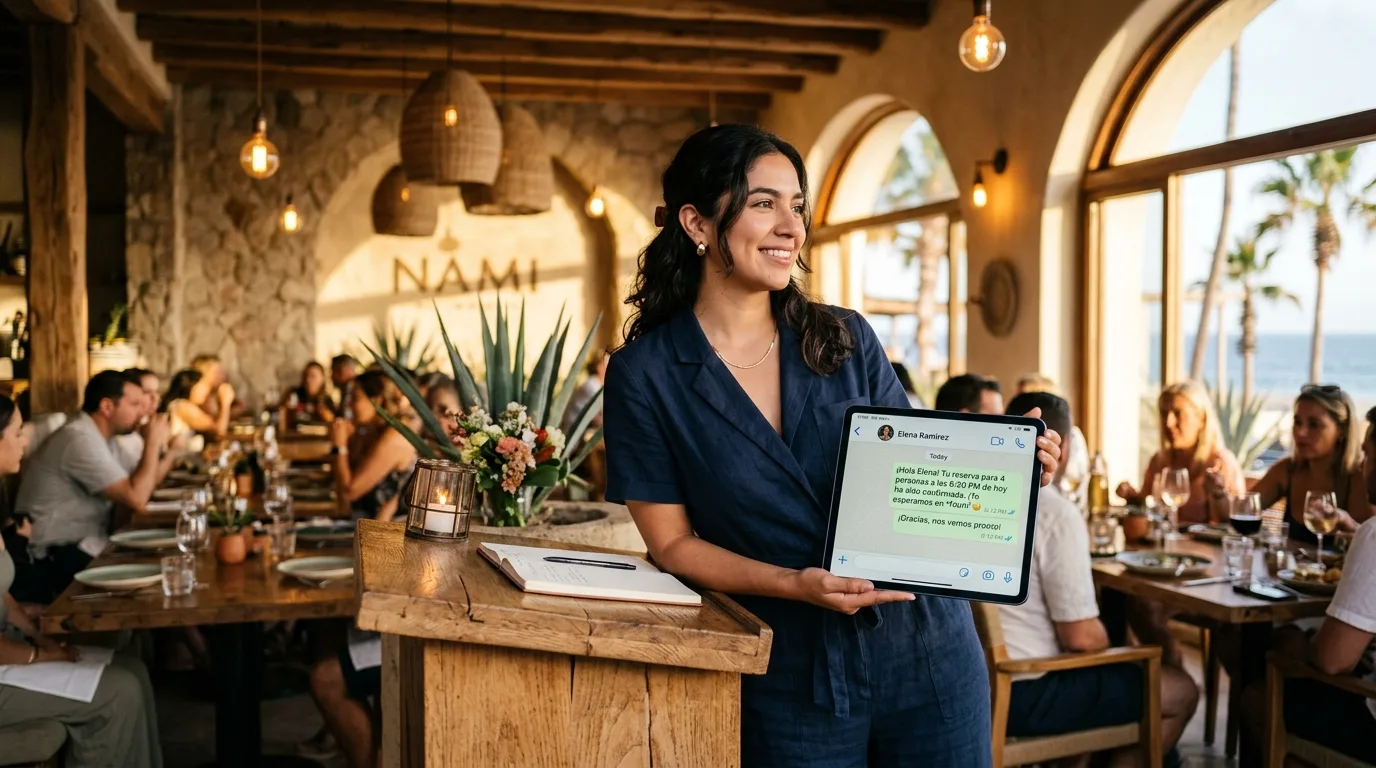
If your restaurant is in Mexico and you're still confirming reservations by phone or email, you're losing money to a channel mismatch. WhatsApp now has more than 3 billion monthly active users globally (TechCrunch, May 2025) and reaches roughly 92% of Mexico's online population — second only to Facebook (Statista, 2025). In the US, SMS still rules. In Mexico, WhatsApp is the inbox.
This is the practical setup guide for the six WhatsApp workflows that pay back fastest at a restaurant: reservation confirmations, pre-visit reminders, menu and order Q&A, review collection, dormant-customer reactivation, and staff coordination. It pairs with the complete AI for hospitality playbook, which covers the rest of the hospitality AI stack (front desk, inventory, dynamic pricing, reviews) — start there if you're building a broader plan.
Every workflow below uses the official WhatsApp Business Platform (not screen-scraped automations that get banned) and runs on real tools — Make.com or n8n for orchestration, plus the OpenAI or Claude API for the AI replies. No vaporware.
Key Takeaways
- WhatsApp has 3B+ monthly users globally; WhatsApp Business hit ~284 million active API accounts in 2026 (+42% YoY) (MEF, Aug 2025)
- 92% of Mexico's online population uses WhatsApp vs. ~21.5% average email open rates — the channel match advantage is structural, not marginal (Statista, 2025)
- 28% of US diners admit no-showing a reservation in the past year; just two no-shows can erase 5% of a restaurant's revenue (OpenTable, December 2025)
- Service and utility messages within a 24-hour customer-service window are free under Meta's per-message pricing (effective July 1, 2025) — most restaurant use cases cost nothing per message (Meta for Developers, 2025)
- 77% of diners say they'd use a restaurant AI chatbot for order status or menu questions (HungerRush, November 2025); demand acceptance is no longer the blocker
Why WhatsApp Beats SMS and Email for Mexican Restaurants
WhatsApp reaches 92% of online Mexicans; email open rates average ~21.5%. That gap is the entire argument. You're not picking between channels of similar reach — you're picking between a channel your guests check 50 times a day and a channel they check when they remember.
Mexico has roughly 65 million WhatsApp monthly active users today, forecast to hit 99.7 million by 2029 (Statista, 2025). For Cabo, Cancún, CDMX, and Guadalajara restaurants, that means both your local market and your domestic-tourism market are already on the platform. Spanish-speaking US visitors expect it too — WhatsApp is the default messaging app across Latin America.
The commerce side is even more telling. Mexico shows 71% WhatsApp commerce adoption with +38% year-over-year transaction-volume growth — the fastest in Latin America (Aurora Inbox, March 2026). The same report puts the LATAM conversational commerce market at US$18.2 billion growing 35% YoY, with food and beverage at the highest conversion rate of 61%. Restaurants don't have to convince guests to use WhatsApp. Guests are already trying to.
What You Need to Run WhatsApp Automation at a Restaurant
You need three things: a WhatsApp Business Platform account, an automation orchestrator (Make.com or n8n), and an AI provider (OpenAI or Claude) for the conversational replies. That's the entire stack. Total monthly cost lands between $50 and $250 for most independent restaurants — almost all of it the orchestrator and AI tokens, not WhatsApp itself.
The pieces:
- WhatsApp Business Platform (BSP) account — set up through a Meta-approved Business Solution Provider like Twilio, 360dialog, MessageBird, or Gupshup. Approval takes 1–3 business days. You get a verified business profile, the green tick if you qualify, and a phone number that customers can save. The Meta Developer-Cloud API is also available if you want to skip a BSP, but the BSP route is faster for a non-developer team.
- Automation orchestrator — Make.com ($9–$45/month) if you want low-code visual workflows; n8n (self-hosted ~$6/month VPS or n8n Cloud from $20/month) if you want full control and the lowest per-task cost at scale. For deeper context on choosing, see the n8n for restaurants workflow guide.
- AI provider — OpenAI (GPT-4o-mini for cost, GPT-4o for quality) or Anthropic (Claude Haiku 3.5 for cost, Claude Sonnet for quality). Plan on $5–$30/month in API spend at typical restaurant volumes. A side-by-side breakdown lives in OpenAI vs Anthropic for small business.
- Reservation source of truth — OpenTable, Resy, SevenRooms, Toast TablesReady, or a Google Sheet. Whatever it is, the orchestrator reads from and writes to it.
- A POS or order system (optional but recommended) — Toast, Square, or Clover. Needed for Workflow 3 (menu and order Q&A) and Workflow 5 (reactivation).
The biggest cost surprise is what isn't a cost: service and utility messages within a 24-hour customer-service window are now free under Meta's per-message pricing effective July 1, 2025 (Meta for Developers, 2025). For most restaurant workflows — confirmations triggered by an inbound booking, replies to a guest's question, review requests within 24 hours of service — there's no per-message charge. You only pay for outbound marketing messages or messages outside the 24-hour window.
Workflow 1: Reservation Confirmations (Inbound Booking → Instant WhatsApp)
Trigger reservation confirmations through WhatsApp the moment a guest books — confirmation read rates jump from ~30% (email) to 80%+ within minutes. This is the single highest-payback workflow on the list.
How it works:
- A booking comes in via OpenTable, Resy, or your website form
- The orchestrator (Make.com or n8n) catches the webhook
- It pulls the guest's phone number and formats it to E.164 (+52…)
- It sends a templated WhatsApp message: "Hola Carlos, confirmamos tu reserva para 4 personas, sábado 24 de mayo, 8:30pm en [Restaurant]. Responde SÍ para confirmar o NO para cancelar."
- The guest's reply updates the reservation status in your system
Setup time: 3–5 hours for a non-developer using Make.com's WhatsApp module. Cost: free per message (service window). Payback: typically the first prevented no-show.
According to Tableo's 2025 reservation data, 66% of diners now book same-day, 59% prefer booking online, and reservations grew +21% YoY in 2025 (Tableo, August 2025). Same-day bookings mean your confirmation has to land in seconds, not hours. WhatsApp's median delivery time on a healthy Business API account is under 2 seconds. Email takes minutes when it works.
Workflow 2: Pre-Visit Reminders (24-Hour and 2-Hour)
Send two reminders — 24 hours and 2 hours before the reservation — and you cut no-shows by 30–50%. That's the consistent number across reservation platforms (Tableo, 2025), and it's the lever with the biggest revenue impact you can pull this week.
The math is brutal. 28% of US diners admit to no-showing in the past year, and just two no-shows can erase 5% of a restaurant's revenue (OpenTable, December 2025). At a Cabo restaurant averaging 60 covers per night at MX$1,400 per cover, two nightly no-shows is roughly $14,000 USD per month walking out the door before service starts. We covered the broader no-show economics in how restaurants use AI to reduce no-shows.
The two-touch sequence:
- T-24 hours: friendly, low-pressure reminder with a single "Reply CANCEL to release the table" option
- T-2 hours: short reconfirmation with parking, dress code, or arrival notes — the kind of detail a guest actually wants
Released tables go to a waitlist automation that notifies the next guest in line, also via WhatsApp. The waitlist recovery alone typically reclaims 60–80% of canceled reservations on a busy night.
Workflow 3: AI-Powered Menu and Order Q&A
Route inbound menu, hours, and availability questions to a Claude- or GPT-powered WhatsApp agent — 77% of diners say they'd use one. That's the HungerRush November 2025 diner survey number, and it tracks with what I see in practice. Diners prefer asking questions via chat. They don't want to call.
The agent is grounded in three sources: your menu (uploaded as a PDF or scraped from your site), your operating hours, and your FAQ. It handles 80%+ of common questions — "Do you have a vegan option?", "Is the kitchen open until 11?", "Can you split a 4-top into two 2-tops?" — without a human in the loop. Anything it can't answer escalates to a staff WhatsApp number with the conversation context attached.
A bilingual agent matters here. US Latino and Hispanic travelers are projected to contribute $165 billion to the travel economy by 2025 (HospitalityNet, 2024), and a meaningful share of Cabo's high-spend tourist segment is Spanish-first. A bilingual WhatsApp agent doesn't need separate setup — the LLM detects the language automatically. The architecture pattern is the same one I wrote up in building a bilingual AI booking system for Los Cabos.
Workflow 4: Post-Visit Review Requests (15 Minutes After Bill Close)
Send a single WhatsApp review request 15 minutes after the bill closes — review collection rates more than double vs. email follow-ups. The timing matters: too soon feels pushy, too late feels irrelevant. Fifteen minutes is the sweet spot, when the guest is still in the parking lot or walking back to their hotel.
The flow:
- POS fires a "check closed" event
- Orchestrator waits 15 minutes
- Sends WhatsApp: "Hola [name], gracias por cenar con nosotros esta noche. ¿1 minuto para dejarnos una reseña? [link]"
- The link goes to Google Business Profile, TripAdvisor, or your in-house review tool
- Optional: if the guest replies with negative sentiment, the message gets flagged and goes to the GM's WhatsApp before it becomes a public review
That last branch is the highest-value piece of the workflow. Catching a complaint before it hits Google saves an average of 1–2 star ratings per upset guest, and recovers the relationship roughly 60% of the time. The broader review architecture — including how to route, respond, and track reputation across platforms — is in AI-powered review management for hospitality.
Workflow 5: Reactivation Campaigns for Dormant Customers
Identify guests who haven't visited in 60+ days and send a personalized WhatsApp re-engagement — expect 8–15% to return. This is the only workflow on the list that uses marketing messages (which incur Meta's per-message fee, typically $0.04–$0.10 USD depending on country), but the ROI is straightforward.
How to build it:
- Pull guest list from POS or reservation history
- Filter to "last visit > 60 days" and "lifetime visits ≥ 2"
- Generate a personalized opener with the LLM: pull their last order, suggest a similar new menu item
- Send via WhatsApp marketing template (pre-approved by Meta)
- Track returns via reservation match
A 200-guest reactivation campaign at $0.06/message costs $12, and converting even 10% of those into a single visit at MX$1,200 average ticket recovers MX$24,000 USD in revenue. The math is hard to beat.
Workflow 6: Internal Staff Coordination (Bonus)
Use WhatsApp groups + bot for shift swaps, prep checklists, and end-of-day reports — eliminates the WhatsApp-as-a-mess problem. This is the workflow most restaurants already have informally, then realize it's drowning them in messages.
The fix is structure, not a different tool. Create dedicated WhatsApp groups for FOH, BOH, and management. Route end-of-day reports, prep lists, and shift announcements through a bot that posts at fixed times. Staff initiate shift-swap requests via a short slash-command, and the bot confirms with the manager. The result is the same WhatsApp interface staff already use, with the chaos pushed into the bot's structured side.
This isn't a revenue workflow — it's a sanity workflow. But if it saves a manager 30 minutes of message triage per shift, you've recovered 15 hours of management time per month at almost zero cost.
What Does This Actually Cost?
Full setup runs $50–$250/month for a single-location restaurant, depending on your orchestrator and AI choices. Here's the realistic breakdown:
Payback at a 60-cover restaurant: usually inside 30 days. The reservation-confirmation workflow alone, by preventing 1–2 no-shows per week at MX$1,200–1,400 average ticket, covers the full stack with room to spare.
Common Pitfalls and How to Avoid Them
The three mistakes that kill restaurant WhatsApp projects are: using personal WhatsApp instead of the Business Platform, skipping bilingual handling, and not setting message-template expectations with Meta.
- Don't use a personal WhatsApp account or WhatsApp Business app for automation. Meta will ban it within weeks. Use the WhatsApp Business Platform (also called WhatsApp Business API), accessed through a BSP.
- Pre-approve your templates with Meta before you launch. Marketing and utility templates have to be reviewed (24–72 hours). Plan for it. Building the workflow on the assumption you can send any message at any time will block your go-live.
- Build bilingual from day one. Detect language from the inbound message and respond in the same language. Don't force Spanish-speaking guests through an English flow or vice versa. The LLM does this for free — there's no excuse not to.
- Don't spam. WhatsApp has a quality-rating system. Three or four complaint reports can rate-limit your number. Marketing messages should go only to opted-in customers, ideally segmented by recency.
- Have a human-handoff route. Every workflow needs a path to escalate to a real person. Without it, the agent fails the 5% of conversations that matter most.
Frequently Asked Questions
How long does it take to set up WhatsApp automation for a restaurant?
A motivated owner working with a Make.com template can ship Workflow 1 (reservation confirmations) in a weekend. Full six-workflow rollout takes 2–4 weeks for most restaurants, mostly because Meta template approval and BSP onboarding gate the timeline, not the technical build.
Do I need a developer to run this?
For a basic Workflow 1 + 2 setup using Make.com, no. The visual workflow builder is designed for non-developers. For Workflow 3 (AI Q&A) and Workflow 5 (reactivation), you'll either learn enough to build it yourself or hire a consultant for 8–15 hours of setup work.
Is WhatsApp automation legal in Mexico?
Yes, as long as you use the official WhatsApp Business Platform and respect Mexico's Ley Federal de Protección de Datos Personales — meaning you collect consent for marketing messages and provide a clear opt-out. Service messages (confirmations, reminders) are explicitly permitted under both Meta's policy and Mexican data law.
What's the difference between WhatsApp Business app and WhatsApp Business Platform?
The Business app is a free phone app for small operations — one device, one number, no automation. The Business Platform (API) is the cloud-based version that supports automation, multiple agents, message templates, and integration with your other systems. Restaurants automating any meaningful volume need the Platform, not the app.
Can the AI agent take orders, not just answer questions?
Yes. Workflow 3 can extend into order capture — guest sends a message, AI builds the order, sends a confirmation, fires it to your POS, and processes payment via a WhatsApp Pay link. It adds 1–2 weeks of build time and tighter testing requirements, but the conversion lift is meaningful: 52% of US diners have already used AI tools when ordering food (HungerRush, November 2025).
What if my restaurant is in the US, not Mexico?
WhatsApp adoption is much lower in the US (roughly 30% of adults vs. 92% of online Mexicans), so SMS often beats WhatsApp for US-only operations. The same six workflows apply — just route through Twilio SMS or RCS instead. The Mexico/LATAM-specific advantage is the channel match. In the US, you're picking the wrong horse.
If you run a restaurant in Cabo, Cancún, Mexico City, or anywhere in Mexico and want this stack stood up for your operation, the next move is a 30-minute scoping call where we map your current reservation and review flow, then identify which of the six workflows pays back first for your covers and average ticket.